
Next DB Navigator4.21.1 - Google Play
You'll be able to see results in few seconds.
Publisher Description
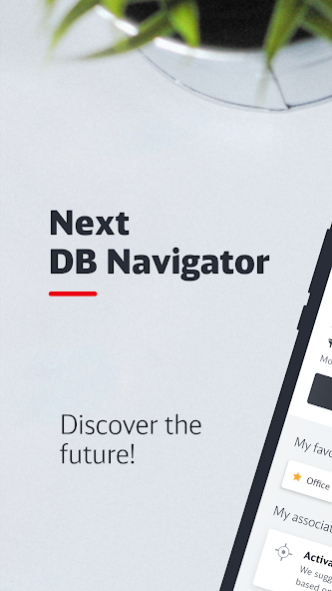
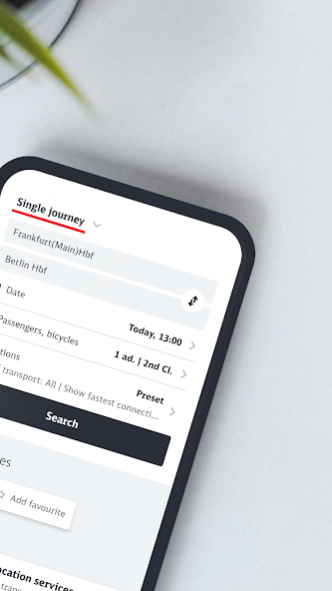
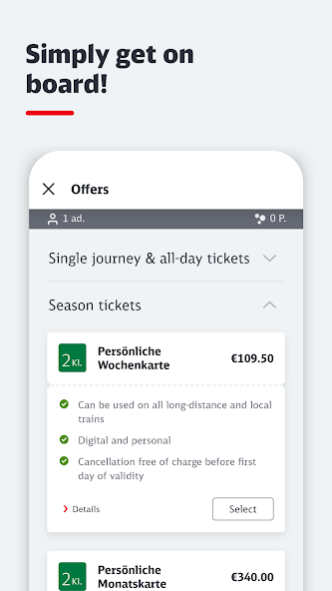
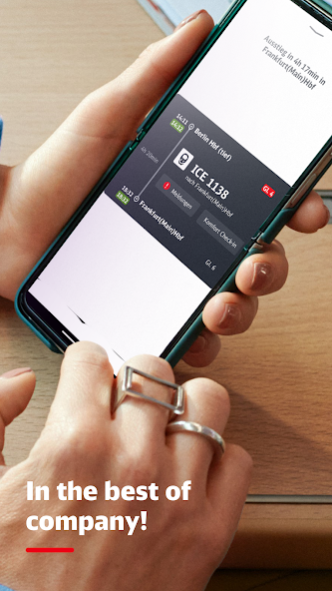
What to expect from the Next DB Navigator:
• Easy to use buttom navigation with the sections Booking, Journeys and Profile
• New modern design - dark mode available
• Always well informed with the new travel preview
• Digital booking of tickets for bicycles and dogs for long-distance as well as local transport
• Combine up to four discounts per traveller
• Passes available for frequent travellers
We are continually expanding the set of functions:
• Expansion of "regional offers" for public transport
• Expansion ofinternational offers
• ... and much more to come
Download the app now and join us on ourjourney into the digital future of travel.
Future is more than just a new version of today.
We look forward receiving your feedback in the store or via https://next.bahn.de/kontakt/feedback.
About Next DB Navigator
The company that develops Next DB Navigator is Deutsche Bahn. The latest version released by its developer is 4.21.1.
To install Next DB Navigator on your Android device, just click the green Continue To App button above to start the installation process. The app is listed on our website since 2023-08-10 and was downloaded 0 times. We have already checked if the download link is safe, however for your own protection we recommend that you scan the downloaded app with your antivirus. Your antivirus may detect the Next DB Navigator as malware as malware if the download link to com.deutschebahn.app.android is broken.
How to install Next DB Navigator on your Android device:
- Click on the Continue To App button on our website. This will redirect you to Google Play.
- Once the Next DB Navigator is shown in the Google Play listing of your Android device, you can start its download and installation. Tap on the Install button located below the search bar and to the right of the app icon.
- A pop-up window with the permissions required by Next DB Navigator will be shown. Click on Accept to continue the process.
- Next DB Navigator will be downloaded onto your device, displaying a progress. Once the download completes, the installation will start and you'll get a notification after the installation is finished.
Program Details
System requirements
Download information
Pricing
Version History
version 4.21.1
posted on 2023-08-10
What´s new?
- We have implemented several optimisations for you
version 4.19.0
posted on 2023-07-24
What´s new?
- You can now also save the payment method as a preference during the booking process
- Find current connections even faster - time and date are now automatically set to "Now" in the trip planner
- You can now check your BahnBonus points at any time, even during the booking process
version 4.18.0
posted on 2023-07-07
What´s new?
• Now you can easily select and book your transport association tickets on the homepage under "Tickets & Offers".
• You can now delete the history of your start location and destination in the connection search.
• We have implemented several optimisations for you.
version 4.16.0
posted on 2023-06-12
Was ist neu?
Wir haben für dich diverse Stabilisierungsmaßnahmen vorgenommen
Disclaimer
Official Google Play Link
We do not host Next DB Navigator on our servers. We did not scan it for viruses, adware, spyware or other type of malware. This app is hosted by Google and passed their terms and conditions to be listed there. We recommend caution when installing it.
The Google Play link for Next DB Navigator is provided to you by apps112.com without any warranties, representations or guarantees of any kind, so access it at your own risk.
If you have questions regarding this particular app contact the publisher directly. For questions about the functionalities of apps112.com contact us.
